

Custom development is not automatically the answer. Configuration, integration, automation, or a better off-the-shelf platform may solve the problem. The goal is to identify the constraint first and then choose the most proportionate response.
Key takeaways
- Repeated manual work often indicates that standard software no longer reflects the real process.
- Disconnected systems create extra handoffs, duplicate records, and avoidable uncertainty.
- Security, access, and audit requirements should be assessed as the business grows.
- Software value should be judged by total operating cost, not subscription price alone.
- Before building, document the problem, users, integrations, constraints, and desired outcomes.
7 signs you need custom software
1. Manual workarounds have become part of normal operations
Employees may repeatedly copy information, convert files, extract details, route requests, or maintain spreadsheets outside the primary system. A temporary workaround can be sensible, but a workaround used every day is effectively an undocumented business process.
Look at where people re-enter data, wait for approvals, or rely on one experienced employee to keep work moving. These patterns suggest that the software does not support the workflow as it actually operates. Custom software may help when the process is important, stable, and too specific for standard configuration. For a practical prioritization method, read where to start with business process automation.
2. Your tools do not share information reliably
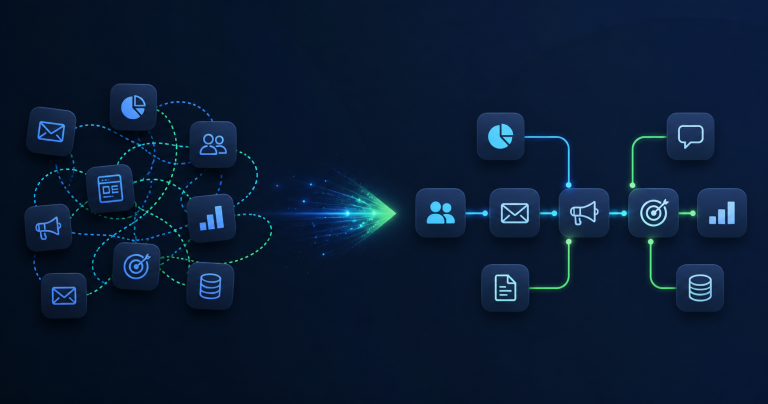
Growth often adds customer systems, finance tools, document platforms, reporting applications, and specialist software. When these products operate in isolation, employees become the connection between them. They export files, reconcile records, and investigate which system contains the current information.
The right response may be an integration layer rather than a complete replacement. A custom application can also provide a unified workflow while established systems continue to perform their specialist roles. Explore how to fix disconnected tools for a closer look at data ownership, handoffs, and integration planning.
3. Rising demand creates backlogs and inconsistent service
Manual routing, review, and filing become harder to manage as transaction or document volumes increase. Teams may respond by adding more people to the same process, but that does not remove the underlying constraint. Delays and inconsistent handling can persist because the workflow still depends on repeated human intervention.
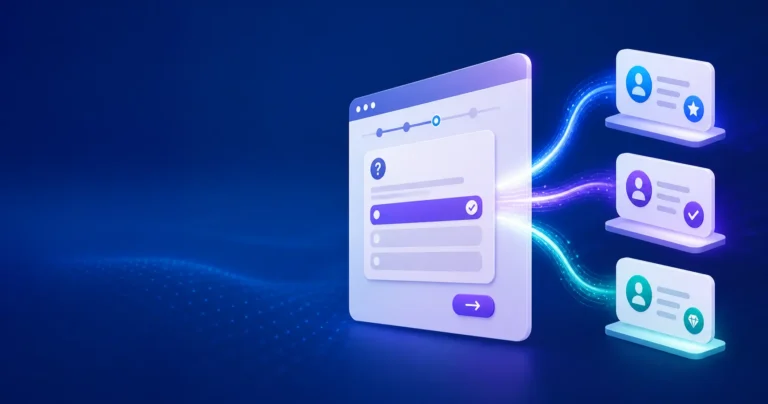
A suitable system should standardize routine steps, surface exceptions, and give users a clear view of status and ownership. Custom development becomes relevant when the rules, roles, or customer experience are distinctive enough that a generic workflow cannot support them without extensive compromise.
4. Security and access controls no longer match the risk
Basic passwords and broad permissions may be insufficient for sensitive records. Warning signs include unclear access ownership, confidential information moving through unapproved tools, incomplete audit history, and difficulty removing access when responsibilities change.
Before selecting a solution, define who should view, create, edit, approve, export, and delete each type of information. Also document retention, audit, and privacy requirements. A custom system can apply role-based workflows and centralized controls, but those controls must be designed around explicit governance rather than added after launch.
5. Administration and support consume too much internal time
Software can become an operational burden when user provisioning, permissions, deployment settings, and troubleshooting are spread across several consoles. Employees may also generate recurring support requests because routine tasks are difficult to find or understand.
Measure the administration surrounding the platform, not only the time spent inside it. A simpler interface, centralized account management, clearer guidance, or consolidated workflow may reduce the burden. If the main challenge is strategic uncertainty rather than development alone, consider whether technology consulting services should precede implementation.
6. You cannot see whether the software is being adopted
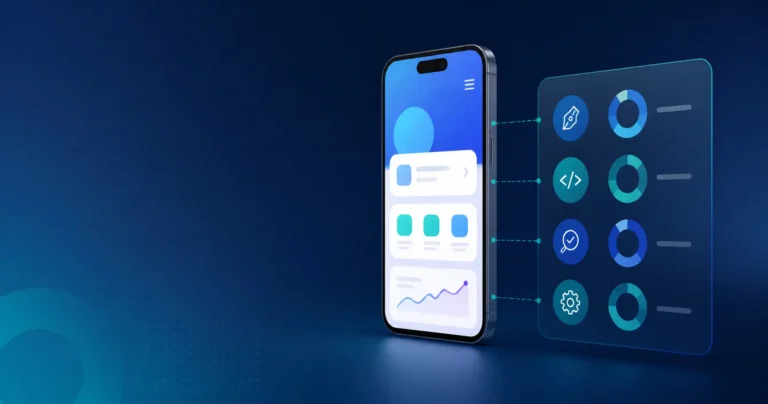
Limited usage visibility makes it difficult to distinguish a software problem from a training, process, or ownership problem. Decision-makers may not know which capabilities are useful, which seats are inactive, or where teams have created alternative methods.
A replacement or custom platform should provide the operational visibility needed to manage adoption. Define useful events before development begins: completed workflows, exceptions, processing status, active roles, and feature use. Avoid collecting data merely because it is available; analytics should answer a management question and respect access requirements.
7. Add-ons and hidden effort distort the true cost
A low subscription price may not represent the full cost of software. Separate charges for automation, analytics, administration, security, integrations, and support can accumulate. Internal work also matters: manual reconciliation, repeated training, support tickets, and duplicate subscriptions all affect value.
Compare options using total cost of ownership. Include licensing, implementation, migration, integration, support, training, administration, maintenance, and expected change over time. Custom software carries its own ongoing costs, so the business case should compare realistic alternatives rather than treating a bespoke build as a one-time purchase.
A useful decision test: Is the software shaping the business into an inefficient process, or is the process itself unclear?
How to decide whether custom development is the right response
Start with evidence from current operations. Map one important workflow from trigger to completion, including users, systems, decisions, data, exceptions, and delays. Record where information is re-entered, where ownership becomes unclear, and which controls are missing.
Next, compare four possible responses:
- Configure: Use capabilities already available in the current platform.
- Integrate: Connect existing tools so information and actions move reliably.
- Replace: Adopt a standard platform that fits the required workflow more closely.
- Build: Create a tailored system when the process is strategically important, and standard products cannot meet essential requirements without excessive workarounds.
For each option, assess implementation effort, user disruption, data migration, security, ongoing ownership, vendor dependence, and ability to adapt. A phased discovery process can test assumptions before a full commitment.
What to prepare before speaking with a development partner
You do not need a finished technical specification. Prepare a concise account of the business problem, affected users, current workflow, known constraints, systems that must connect, sensitive data, and the outcome you want to improve. Include examples of exceptions because unusual cases often reveal the real complexity.
Ask a prospective partner how it will validate the problem, involve users, document decisions, protect data, test integrations, support adoption, and maintain the system after launch. A credible proposal should distinguish confirmed requirements from assumptions and explain what discovery must resolve.
Recognizing the signs you need custom software is only the beginning. If recurring software friction is limiting your team, contact WE BUILD IT to assess whether configuration, integration, modernization, or a tailored build is the appropriate next step.
Frequently asked questions about custom software
Should we customize our existing platform before building a new one?
Usually, test whether configuration can meet essential requirements without making the platform fragile or difficult to maintain. Document the gaps, ask what future updates could disrupt, and compare the resulting operating cost with integration or replacement. Customization is useful only when it preserves a clear upgrade and support path.
Who should participate in software discovery?
Include the process owner, daily users, technical stakeholders, security or data representatives, and the person accountable for the business outcome. Senior leaders can define priorities, but frontline users often reveal exceptions and workarounds. Assign one decision-maker to resolve conflicts and keep the scope aligned with the original problem.
What should a first custom software release include?
The first release should support one valuable end-to-end workflow and include the controls required to operate it safely. Separate essential capabilities from convenience features. Define acceptance criteria, exception handling, user roles, data migration needs, and support responsibilities before development, then use feedback to prioritize later improvements.
How can we reduce risk during data migration?
Identify authoritative sources, data owners, required fields, duplicates, retention rules, and records that should not move. Test mappings with a limited dataset, reconcile results, and plan rollback before the final migration. Keep business owners involved because technically valid data can still be operationally incorrect or incomplete.
How should we plan for maintenance after launch?
Agree who will monitor performance, manage access, review security, handle support, approve changes, and maintain integrations. Document the architecture and operating procedures. Reserve capacity for updates and user feedback rather than treating launch as completion. Clear ownership helps the software remain useful as processes and requirements evolve.